SaveDeo has one-upped KeepVid and other clip-downloaders — it looks like it puts a server in between you and your source site so that your machine doesn’t have to fire up Java (which is the way most clip-downloaders work).
(On occasion its home page may be NSFW, since it seems to run off an algorithm that posts “most popular” downloads…)
Exam: make one, talking the whole time, helping us see everything you see about how the clip works, using every film term you can muster, but also noting foreshadowing, themes, closures, colors, rhythms, etc. (You might go back and review what you know about film conventions.) Your overall goal here is not to entertain us by your personality — it is to help us see and understand things we would not unless we have been enlightened by your insight.
Take care to make your voiceover clear and easy to hear and understand and use ducking to keep a little of the actual soundtrack audible.
Sign up here— pick a five minute block, watch it many times until you find a one-minute block within it that will let you show off best, most observant, insightful, and film-informed self. Clip the one minute block out, using MPEG Streamclip if you want and haven’t updated to Mavericks yet, or using QuickTime Player’s trim function if you have updated or if find it easier. Then slam it into iMovie and add your voiceover.
This video was shot entirely with a GoPro Hero 3 camera inside of different fish bowls. I wanted to take advantage of the GoPros “Fisheye” lens and waterproof housing and make something unique to the camera.
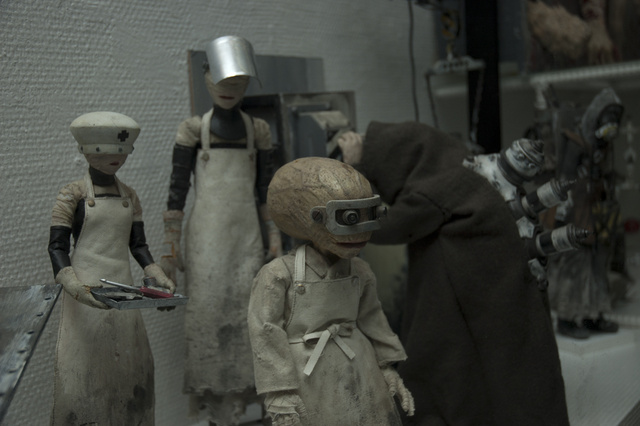
Kotaku has a post on a Japanese stop motion that is really a one-man show — Takahide Hori made it all. And filmed it. And edited it. Especially amazing are the sets. Film is at the bottom of the article. First discussion thread is interesting as folks go back and forth about the problem of sweating the details in titles.


 Understanding Film